
01
The hallway lottery
People walk past the one person they flew in to meet because nothing tells them who’s in the room.
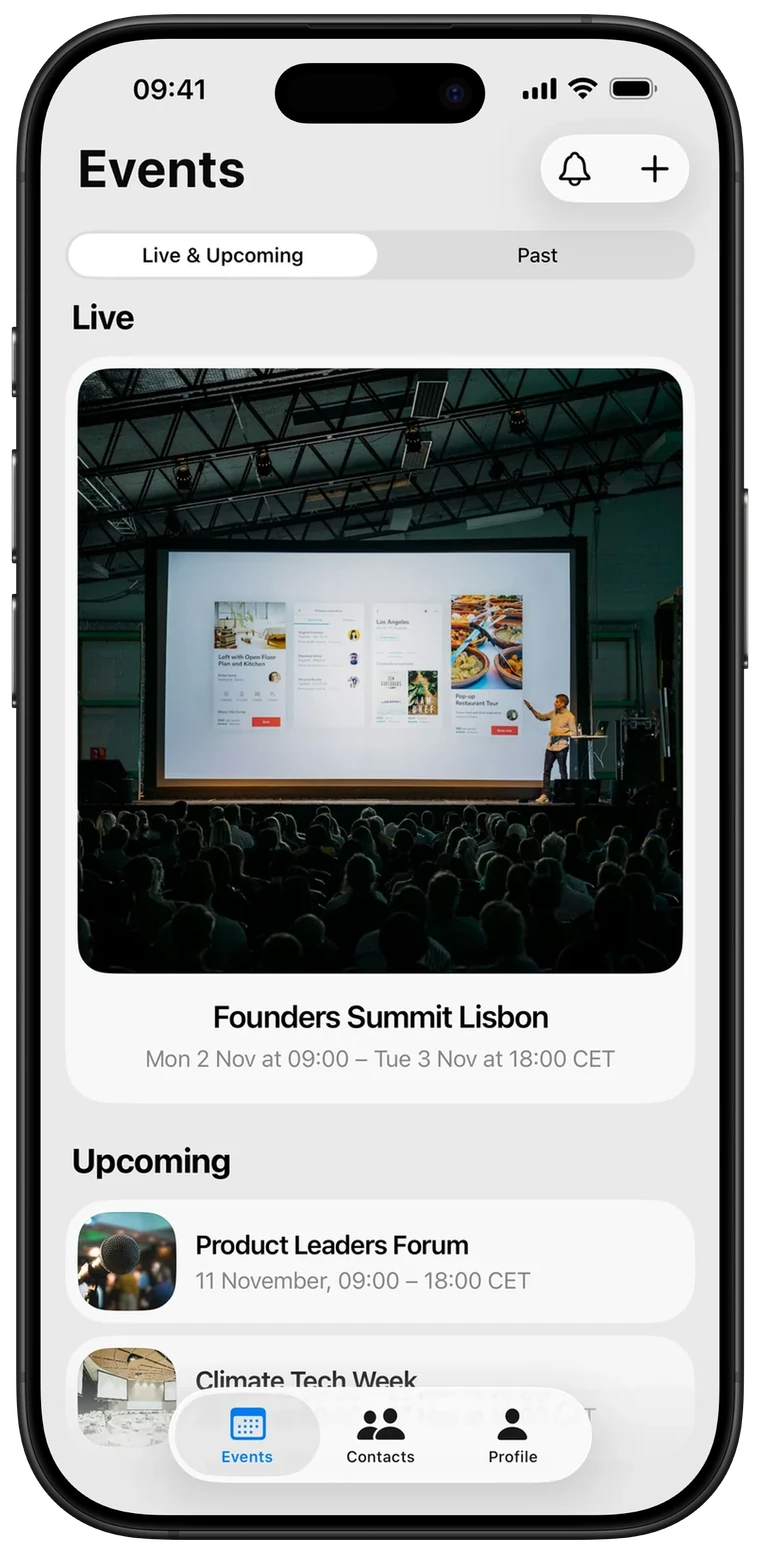
Attendees book 15-minute meetings at your tables. You see every meeting it creates.
The problem
01
People walk past the one person they flew in to meet because nothing tells them who’s in the room.
02
“Let’s grab a coffee later” turns into twenty messages and no time on anyone’s calendar.
03
When it’s over, you can count tickets sold. You can’t count the conversations your event made happen.
The solution
Everything organisers and attendees need to turn a crowd into conversations, and nothing they don’t.
Attendees ask for 15 minutes at a set time. Accepted meetings land in both schedules, with no back and forth.
Name your tables and lounges. Every confirmed meeting says exactly where to go.
Set the hours per day when meetings can happen, so they never clash with the keynotes.
Add your programme once. Attendees see what’s on every stage and add talks to their day.
Every meeting becomes a contact tagged with your event, ready for follow-up once everyone’s home.
Share a join link or 6-character code in your ticket email. No setup calls, no training.
For organisers
Who joined, how many meetings were requested and accepted, and who everyone wanted to meet.
For attendees
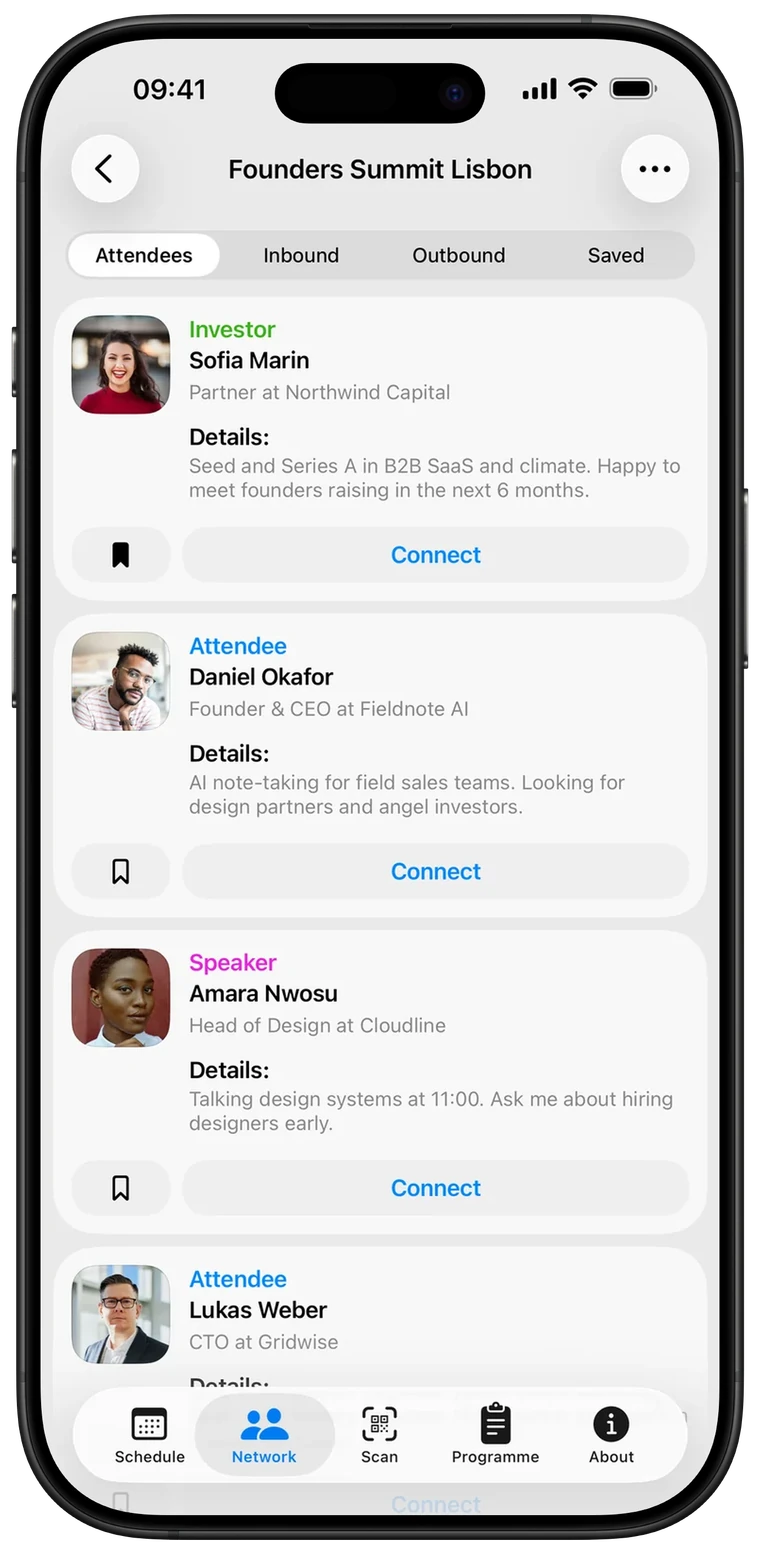
Before the doors open
Every attendee has a card with their role, company and what they’re looking for.
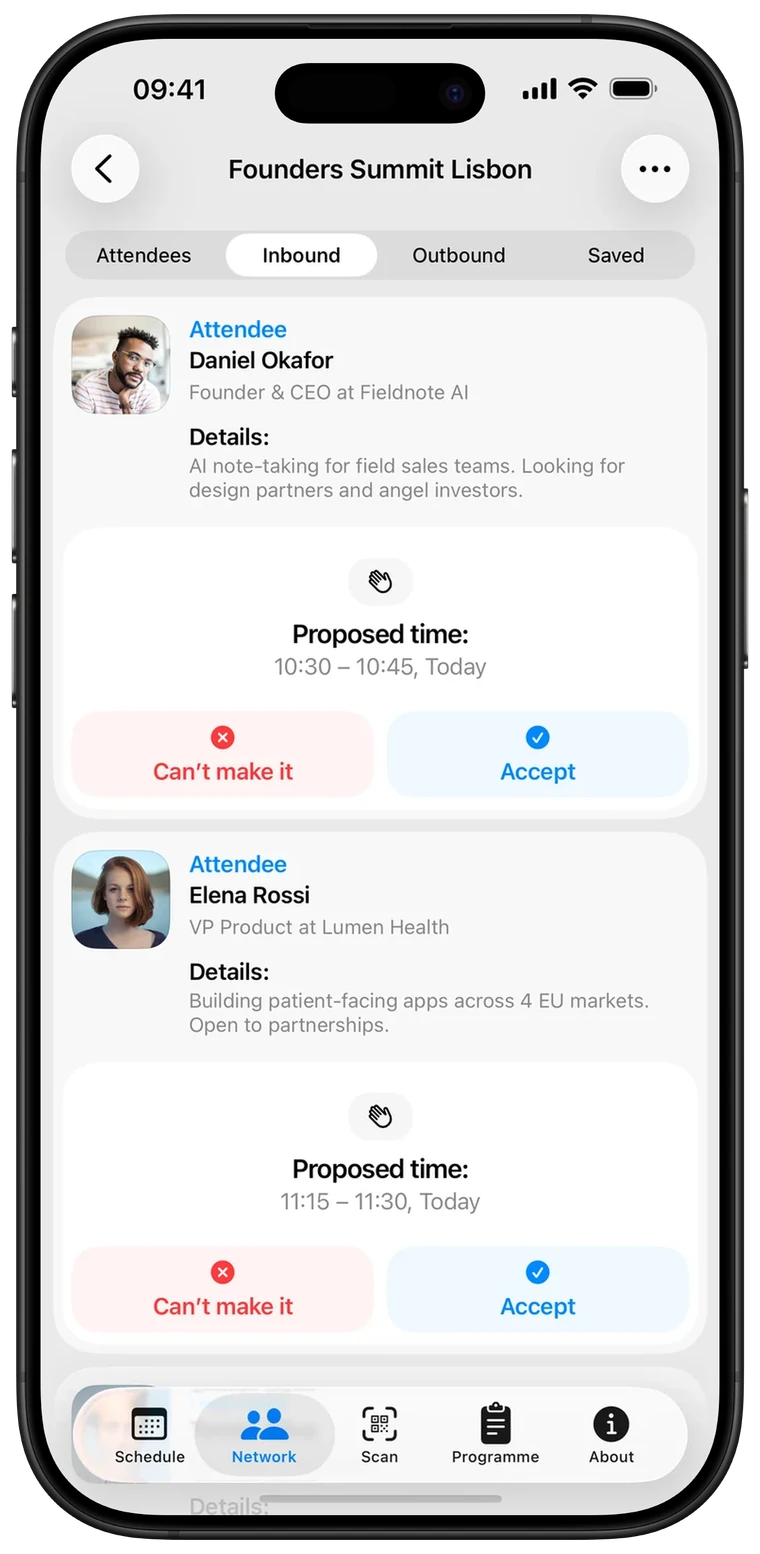
Requests come in
A request comes with a time. Accept it in one tap, with no chat thread.
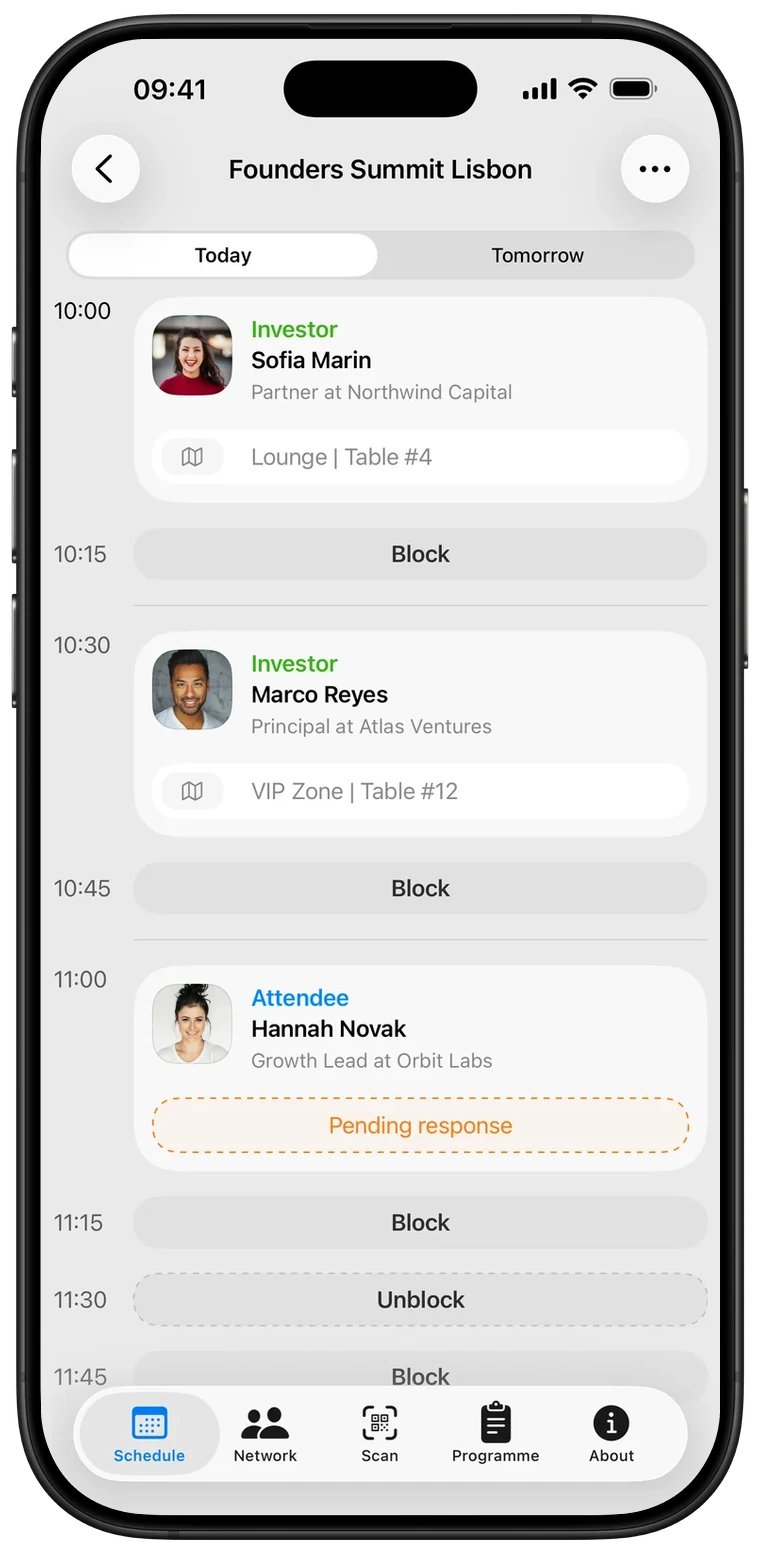
During the day
Every accepted meeting lands in your schedule with a time and a table. Block the slots you need for talks.
After the event
Every accepted meeting becomes a contact that stays after the event.
Contacts

Sofia Marin
Partner at Northwind Capital

Marco Reyes
Principal at Atlas Ventures

Daniel Okafor
Founder & CEO at Fieldnote AI
Principles
Matchy does one job: get the right people to the same table for 15 minutes. Everything that gets in the way of that is left out.
Matchy is a professional tool. People are listed with their work, not ranked by looks.
Requests are for a time and a place. Conversations happen face to face, where they belong.
See what’s on every stage right now and add talks to your schedule, so meetings never clash with the sessions you came for.
They download Matchy, sign in with a code sent to their email, and enter your 6-character event code. If you put the join link in your ticket email, they tap it and skip the code.
Yes. Each day has its own meeting hours, and the schedule and programme are split by day.
People attendees met stay in their Contacts, along with the event where they met. Attendees can delete their account from their profile at any time.
Tell us your dates and expected attendees. We’ll show you how it would look.
Or write to hello@getmatchy.io · iPhone app, coming soon to the App Store